Loading...
Searching...
No Matches
MainWindow Class Reference
#include <mainwindow.h>
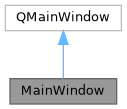
Inheritance diagram for MainWindow:
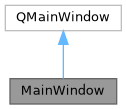
Collaboration diagram for MainWindow:
Public Slots | |
| void | handleTreeClicked (const QModelIndex &index) |
| void | handleClearSelection () |
Signals | |
| void | statusUpdateMessage (const QString &message, int timeout) |
Public Member Functions | |
| MainWindow (QWidget *parent=nullptr) | |
| ~MainWindow () | |
Detailed Description
Main application window for the CAD viewer. Handles the Qt GUI, tree view, STL loading, VTK rendering, context menu, and VR controls.
Constructor & Destructor Documentation
◆ MainWindow()
| MainWindow::MainWindow | ( | QWidget * | parent = nullptr | ) |
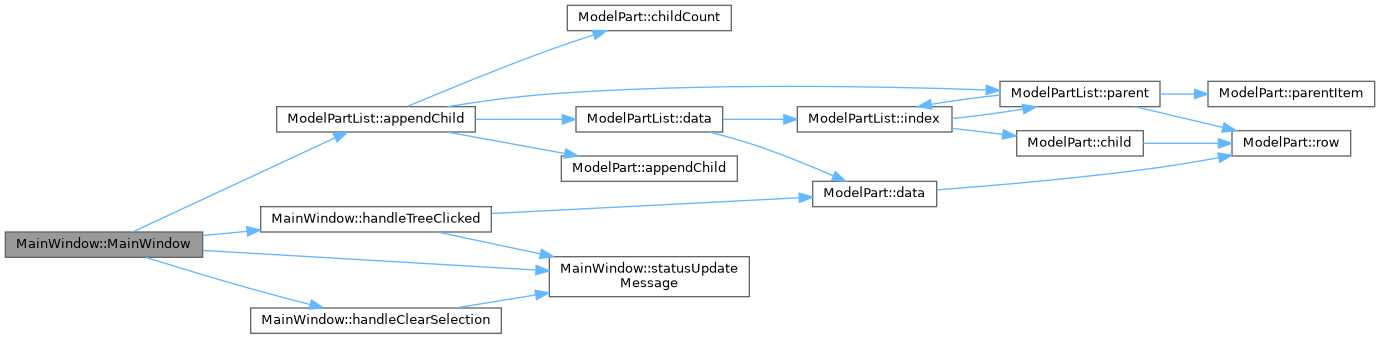
Constructor - sets up the UI, renderer, tree view, and button connections.
- Parameters
-
parent is the parent widget (usually nullptr for main window)
Here is the call graph for this function:
◆ ~MainWindow()
| MainWindow::~MainWindow | ( | ) |
Destructor - frees the UI.
Member Function Documentation
◆ handleClearSelection
|
slot |
Clears the current selection in the tree view.
Here is the call graph for this function:

Here is the caller graph for this function:

◆ handleTreeClicked
|
slot |
Called when the user clicks an item in the tree view.
- Parameters
-
index is the index of the item that was clicked
Here is the call graph for this function:

Here is the caller graph for this function:

◆ statusUpdateMessage
|
signal |
Sends a status message to the status bar.
- Parameters
-
message is the text to display in the status bar timeout is how long in milliseconds before it disappears (0 = stays)
Here is the caller graph for this function:

The documentation for this class was generated from the following files:
- mainwindow.h
- mainwindow.cpp